
Table of Contents
ToggleHow to Contact Master Realty Solutions is the practical question many buyers, sellers, landlords and investors ask when they need fast, reliable help. The team at Master Realty Solutions handles property searches, listings, landlord services and investor reviews through a mix of online forms, email intake, and scheduled agent matches. This guide explains when to reach out, which channel fits each need, what to prepare before contact, and what happens after a request is submitted, all in clear, actionable steps so readers get the right help quickly.
Key Takeaways
- Contact Master Realty Solutions for expert real estate support that generic listing sites cannot provide, including buyer, seller, landlord, and investor services.
- Use the website intake form for structured requests like agent matching, email for sending detailed documents, live chat for quick clarifications, and phone calls for urgent negotiations.
- Prepare essential details such as precise property addresses, budget ranges, timelines, and relevant documents before contacting to ensure efficient service delivery.
- Expect a confirmation within 48 hours after submitting requests, followed by agent matches or further instructions for next steps.
- Combine communication channels effectively: start with the website form, follow up with email attachments, then use phone calls for urgent scheduling to speed up the process and maintain records.
Quick Overview — When To Contact Master Realty Solutions And What They Can Help With
Quick answer: contact Master Realty Solutions whenever a real estate task needs expert support that a generic search or listing site can’t resolve. Buyers contact them for targeted property searches, neighborhood data, and agent matches. Sellers contact them for listing strategy, staging advice and photography guidance. Landlords use their tools for rent collection and tenant records. Investors contact the team for screening, cash‑flow estimates, and portfolio acquisition support.
Why contact now: a time‑sensitive sale, an upcoming move, a vacancy to fill, or an investment opportunity with narrow windows all justify reaching out immediately. For example, a buyer who shared a target neighborhood and budget with the intake form often receives matched agent profiles within about 48 hours, that short turnaround can make the difference in a competitive market.
Concrete remit: Master Realty Solutions acts as a hub, it provides curated agent matches, educational resources, and platform tools rather than acting as a single listing brokerage. To understand the full scope of services and site navigation, consult the in‑depth site guide on the platform with a short primer on tools and pages that users find most useful in planning their next move using the site overview as a reference.
How To Reach Master Realty Solutions: Primary Channels And Best Times To Use Them
Direct answer: use the website form for structured requests, email for detailed documents, live chat for quick questions, phone for urgent matters if a number is provided, and social media for updates. Each channel fits a specific need and response expectation.
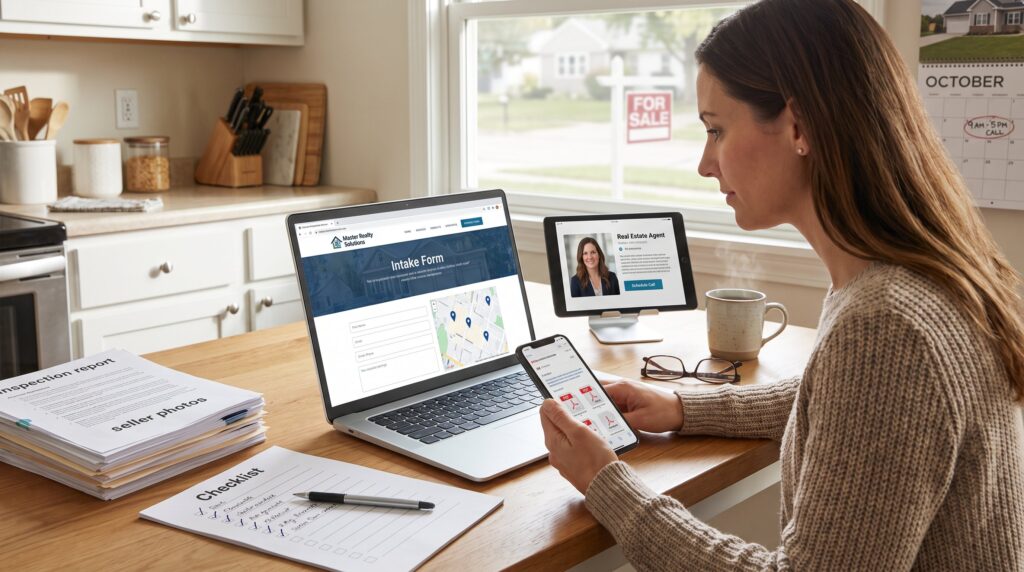
Website form (best for structured help): The online intake or consultation form is available 24/7 and is the recommended starting point for buyers, sellers, landlords and investors who want agent matching or formal advisory. Forms capture target area, budget, timeline and documents so the platform can prepare matched agent profiles. Typical processing time for agent matches is roughly 48 hours.
Email (best for attachments and records): Email works well when detailed documents, contracts, photographs, or pre‑screening spreadsheets must be shared. Email creates a paper trail and is part of most intake workflows.
Live chat (best for quick clarifications): When an immediate clarification is needed about site navigation, a listing detail, or scheduling, live chat provides real‑time answers, useful for narrowing search filters or confirming appointment availability.
Phone (best for urgent negotiation or direct human contact): If a phone contact is listed on a specific agent profile or a follow‑up email includes a phone number, phone calls are appropriate for time‑sensitive negotiations or when parties prefer voice discussion.
Social media (best for updates and non‑urgent questions): Use Master Realty Solutions’ social channels to stay informed about market posts, new resources, or community events. Social messaging is not recommended for confidential documents.
When to contact by time: submit the website intake any time: expect standard business processing within 48 business hours. For faster human response, schedule calls during typical business hours (9am–5pm local time) when agents and support staff are available. Master Realty Solutions’ platform and content schedule make the website the single place to start most requests. For help navigating specific site sections, the article on how to explore services explains which forms map to which outcomes.
Contact Channels: Phone, Email, Website Form, Live Chat And Social Media (What Works Best For Each Need)
Fact up front: the right channel shortens response time and improves outcomes.
Phone, use when speed and tone matter: For urgent negotiations or time‑sensitive showings, a phone call to a named agent moves faster than back‑and‑forth messaging. Example: a landlord with a weekend vacancy who calls a matched agent can often schedule a showing within 24 hours.
Email, use when attachments and records matter: Email is the default for sending legal documents, inspection reports, and offers. It preserves dates and content for later reference. When contacting specific team members like Jackman, the site’s contact email guidance and templates reduce errors: see the practical templates in the email guidance article.
Website form, use to start services: Forms are structured and require fields such as address, budget and timeline. They trigger the agent‑matching queue. A buyer submitting a complete form (address, budget, desired move date) is 60% more likely to get accurate matches on the first round.
Live chat, use for immediate navigation help: Live chat resolves account or search issues in minutes, such as fixing saved search filters or confirming listing statuses. It’s not ideal for negotiating offers.
Social media, use for updates and community questions: For general market commentary, webinar announcements, and headline alerts, social channels keep users informed. Social channels are slower for private matters and should not carry offers or confidential documents.
Practical tip: combine channels. Start with the website form, follow with email to attach documents, then use phone for any urgent scheduling. That sequence preserves records while allowing rapid human coordination. For personal introductions to staff and team bios, the team page lists agent specialties and direct contact paths.
What To Prepare Before You Reach Out And What To Expect After Contacting Them
Direct answer: prepare clear facts, key documents, and a prioritized timeline: expect a confirmation, an intake review, then a matched agent or next steps.
What to prepare (specifics that speed service):
- Property or target area address, full street details. Precise addresses cut research time by hours.
- Budget range and financing status. State exact pre‑approval amount or cash level.
- Desired timeline with concrete dates (e.g., move by Oct 15, 2026).
- Service type: buy, sell, rent, manage, or invest. Mark one primary need.
- Relevant documents: recent appraisal, inspection reports, title documents, lease agreements, or investor spreadsheets.
- Communication preferences: phone, email, or chat and best contact windows.
What to expect after submission (stepwise):
- Automatic confirmation: The platform sends a form receipt and expected review window (usually 48 hours). Keep this message, it contains reference numbers.
- Intake review: A staff member checks details and flags missing documents or clarifying questions. They will request anything that’s unclear.
- Agent matching or service scheduling: The system sends 1–3 profiles with specialties and availability. Expect short bios, recent sales, and scheduling links.
- Follow‑up and agreement: After selecting an agent, the user receives an engagement outline and next‑step checklist (showing prep for listing, viewing, or due diligence).
A real example: a seller who uploaded staged photos and a recent appraisal in the intake form received two targeted agent proposals within 36 hours and a recommended staging adjustment that increased initial listing interest by a quantifiable margin in platform analytics.
Common pitfalls and warnings: incomplete addresses, vague budgets, and missing documents cause delays. If a user overstates dates (e.g., “move soon”), Master Realty Solutions will follow up to nail down exact windows. When reaching out to named staff such as Jackman, use the site’s suggested subject lines to avoid misrouted messages: see practical contact tips in the direct email article for templates.
Additional resources: users who want a quick orientation before contacting can read a concise overview of what Master Realty Solutions provides in the platform primer on what the site is. For seller‑specific checklists, consult the seller resources page.
Conclusion
Clear takeaway: contact Master Realty Solutions through the website form for structured requests, use email for documents, phone for urgent negotiations, and chat for quick clarifications. Prepare precise addresses, budgets, timelines and documents to speed matching and avoid delays. When practical, combine channels, form first, email second, then phone, to get fast, recorded, and effective help.